Vision Harness is a professional wire-harness engineering platform built to bring schematic design, formboards, connector definition, pin mapping, routing, BOMs, documentation, and production data into a single workflow.
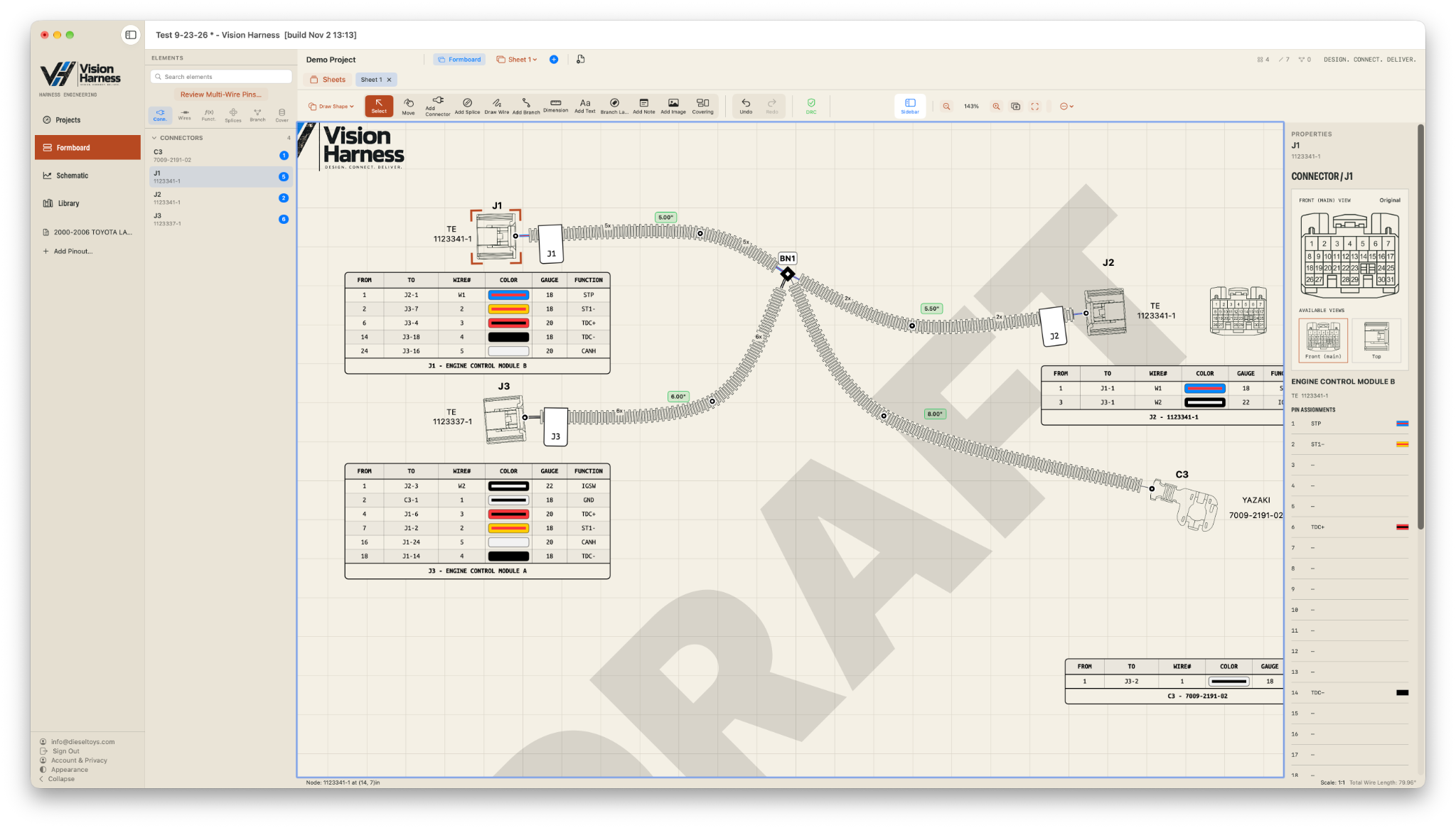
Vision Harness is a professional wire-harness engineering platform built to bring schematic design, formboards, connector definition, pin mapping, routing, BOMs, documentation, and production data into a single workflow.


Instead of moving between disconnected drawings, spreadsheets, connector references, and production documents, Vision Harness keeps the design and its supporting data tied together throughout the project.
Create schematic and production-oriented harness views with organized sheets, wire paths, splices, symbols, and layout tools.
Define connectors, cavities, pin assignments, mating information, wire mappings, and reusable library data.
Build and manage wire paths, branches, splices, circuit properties, labels, and harness topology.
Generate structured parts and component information from the harness design instead of maintaining a separate disconnected list.
Work from reusable connector, component, and symbol libraries while quickly finding pins, circuits, parts, and references.
Produce clean engineering documentation and exportable deliverables for review, manufacturing, installation, and sustainment.
Vision Harness was developed for both Mac and PC, with coordinated light and dark appearance modes on both platforms. Choose a platform below to view each native interface and workflow.
The Mac version follows the native macOS experience and includes coordinated light and dark appearance modes across the engineering workspace.
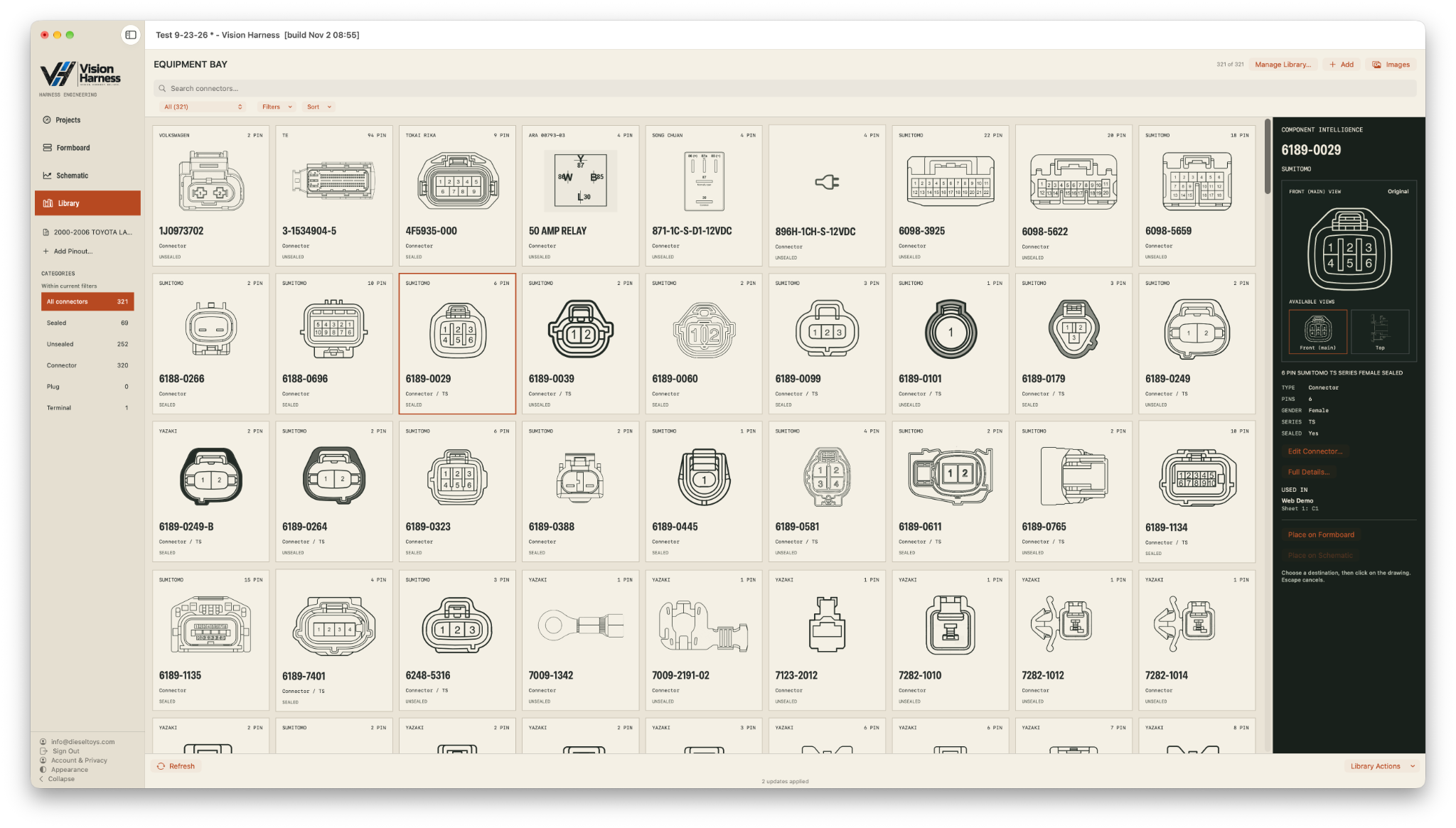
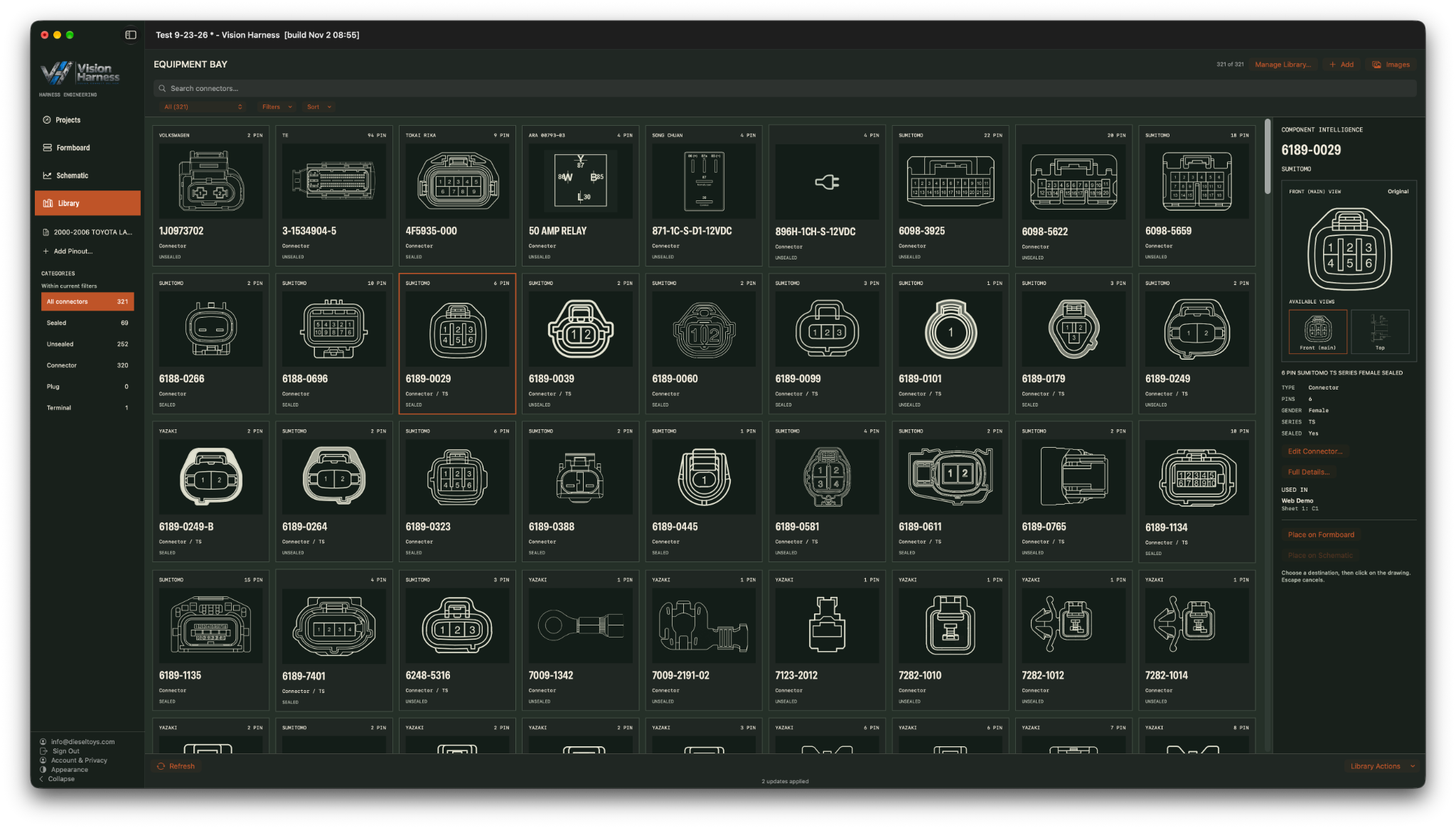
Browse the complete connector library in either light or dark mode, with visual part cards, filtering, component intelligence, and direct placement into the engineering workflow.
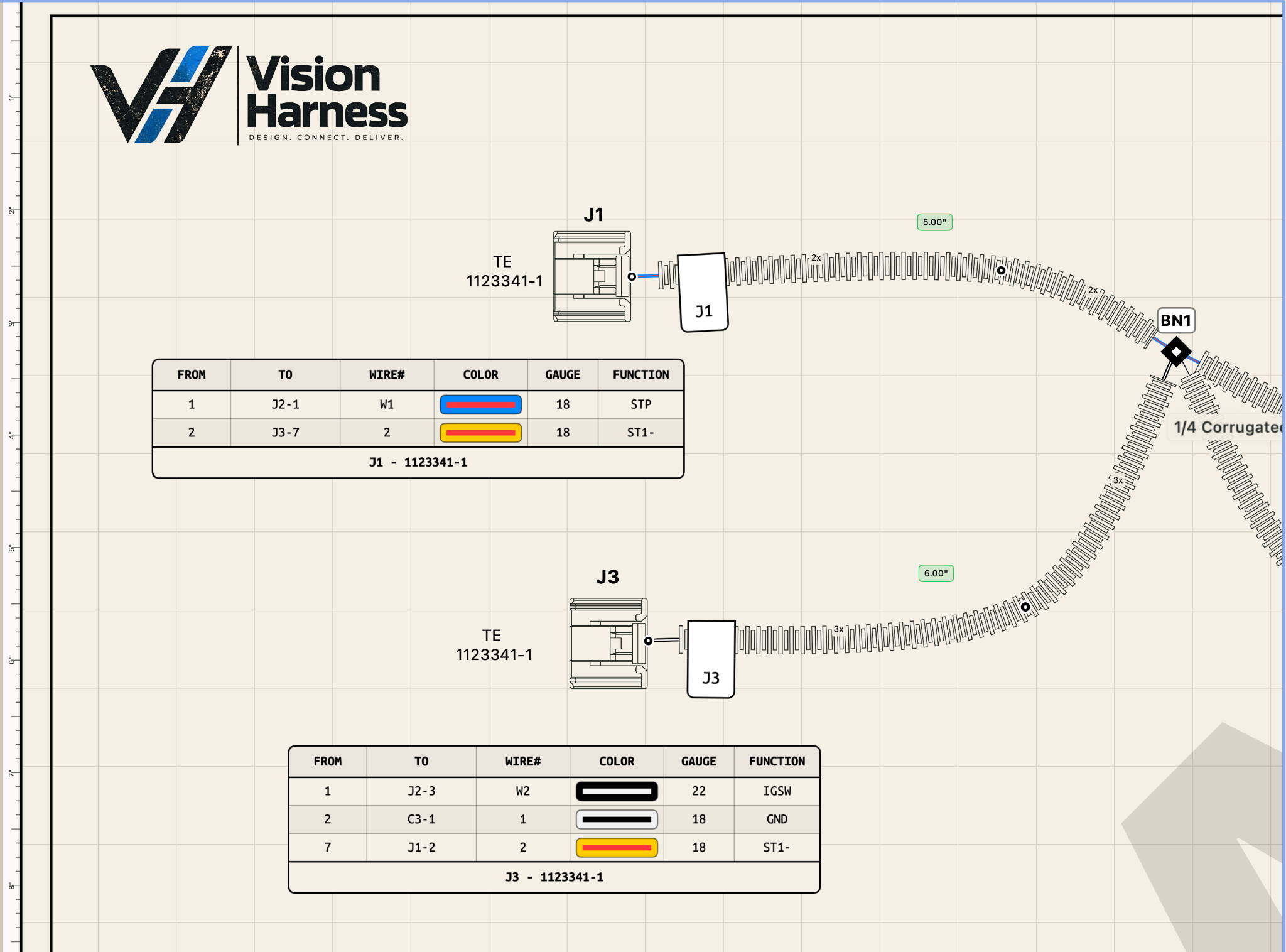
Build full-scale formboards with smooth, realistic wire routing instead of forcing every harness into rigid straight-line geometry. Vision Harness lets the drawing reflect how the harness actually bends, branches, and fits in the real installation.

The PC version provides the full professional harness-engineering workflow with coordinated light and dark appearance modes across the library, editors, formboards, and schematics.
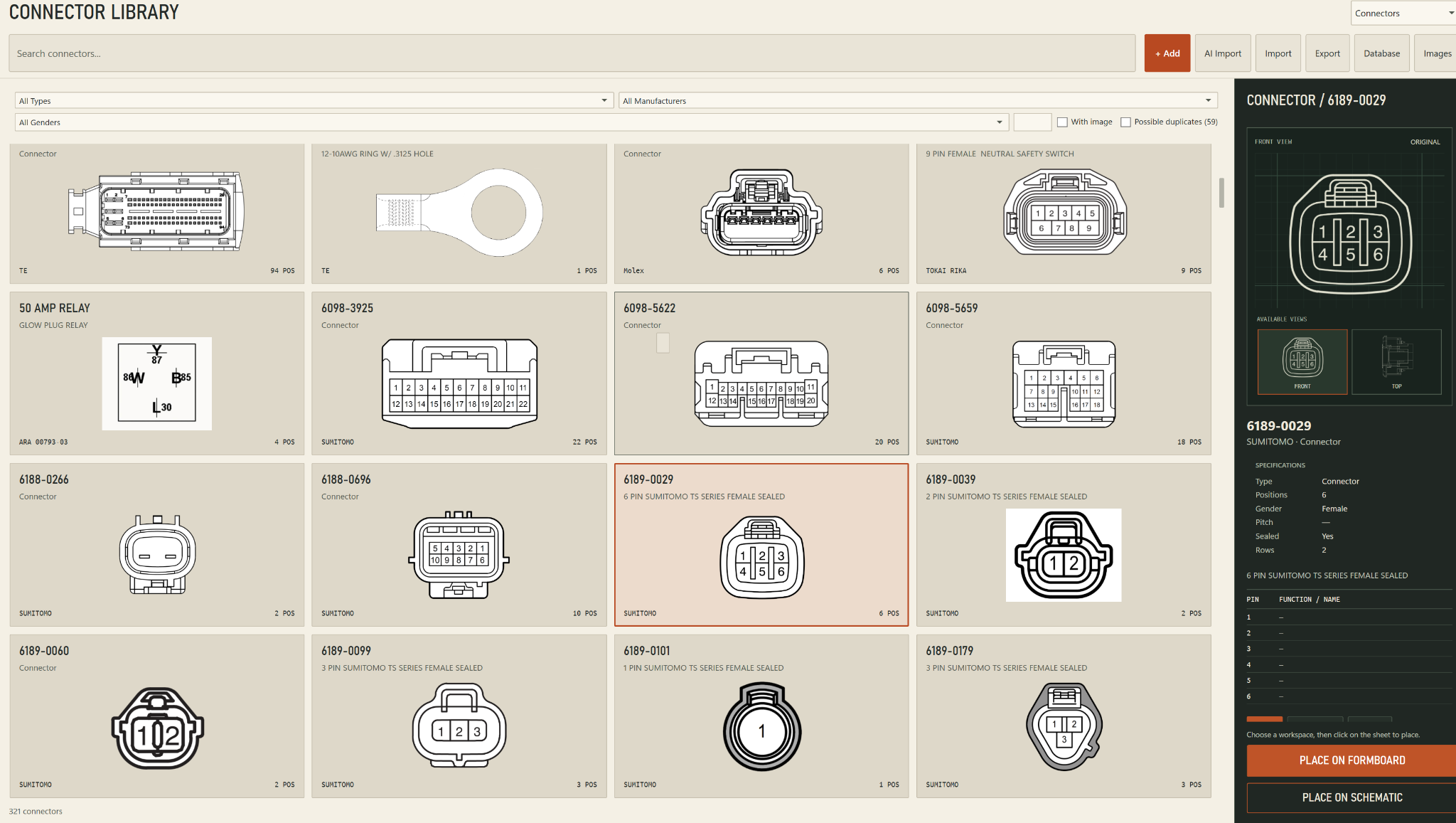
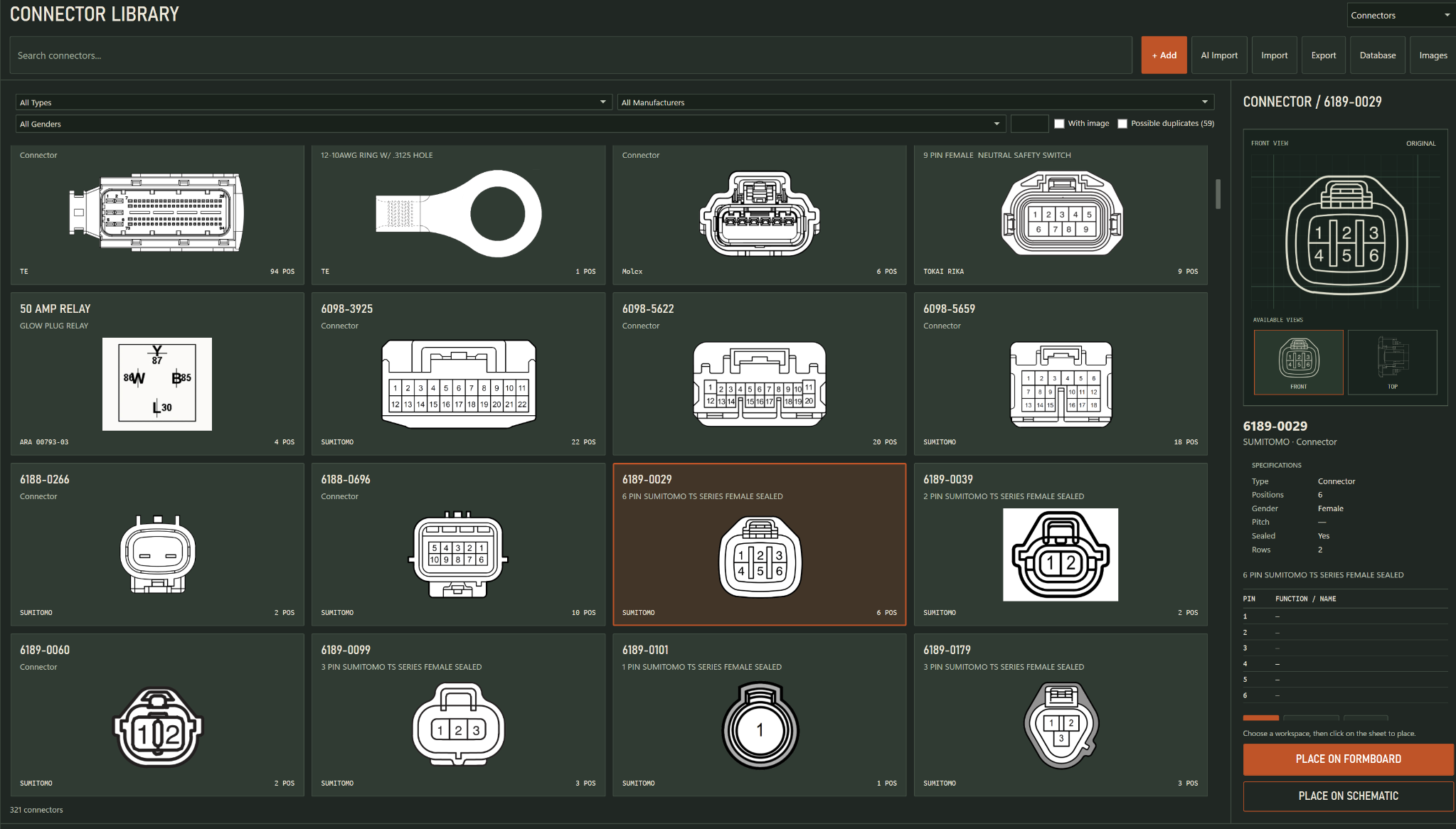
Browse thousands of connector records visually instead of hunting through spreadsheets. Filter, inspect pin layouts and metadata, then place components directly onto a formboard or schematic.
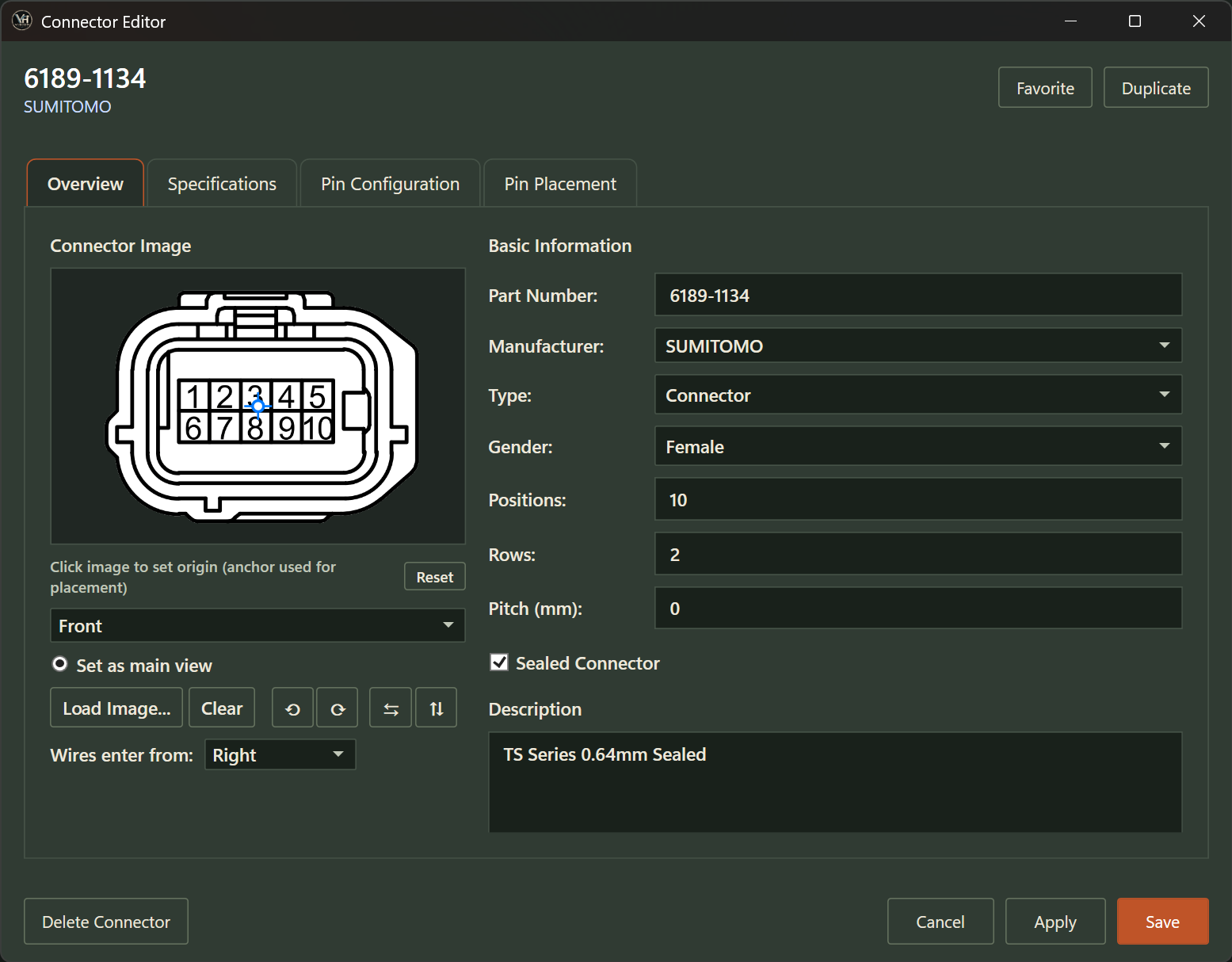
Create complete reusable connector records from one focused editor—including imagery, specifications, pin configuration, placement behavior, and engineering metadata.
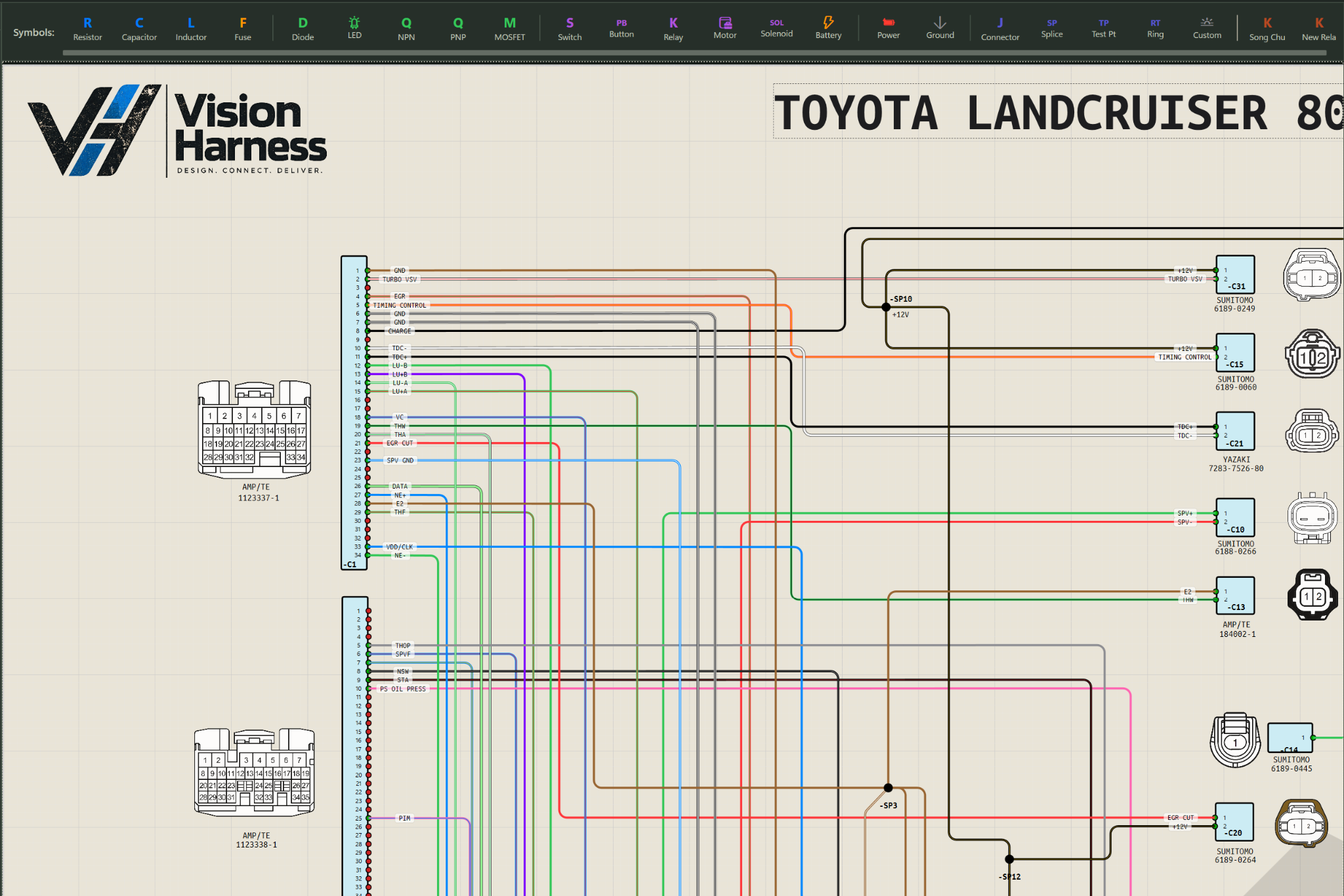
Build polished electrical schematics with smooth filleted wire corners, vibrant circuit colors, connector imagery, and translucent liquid-glass-inspired labels that keep dense technical information readable.
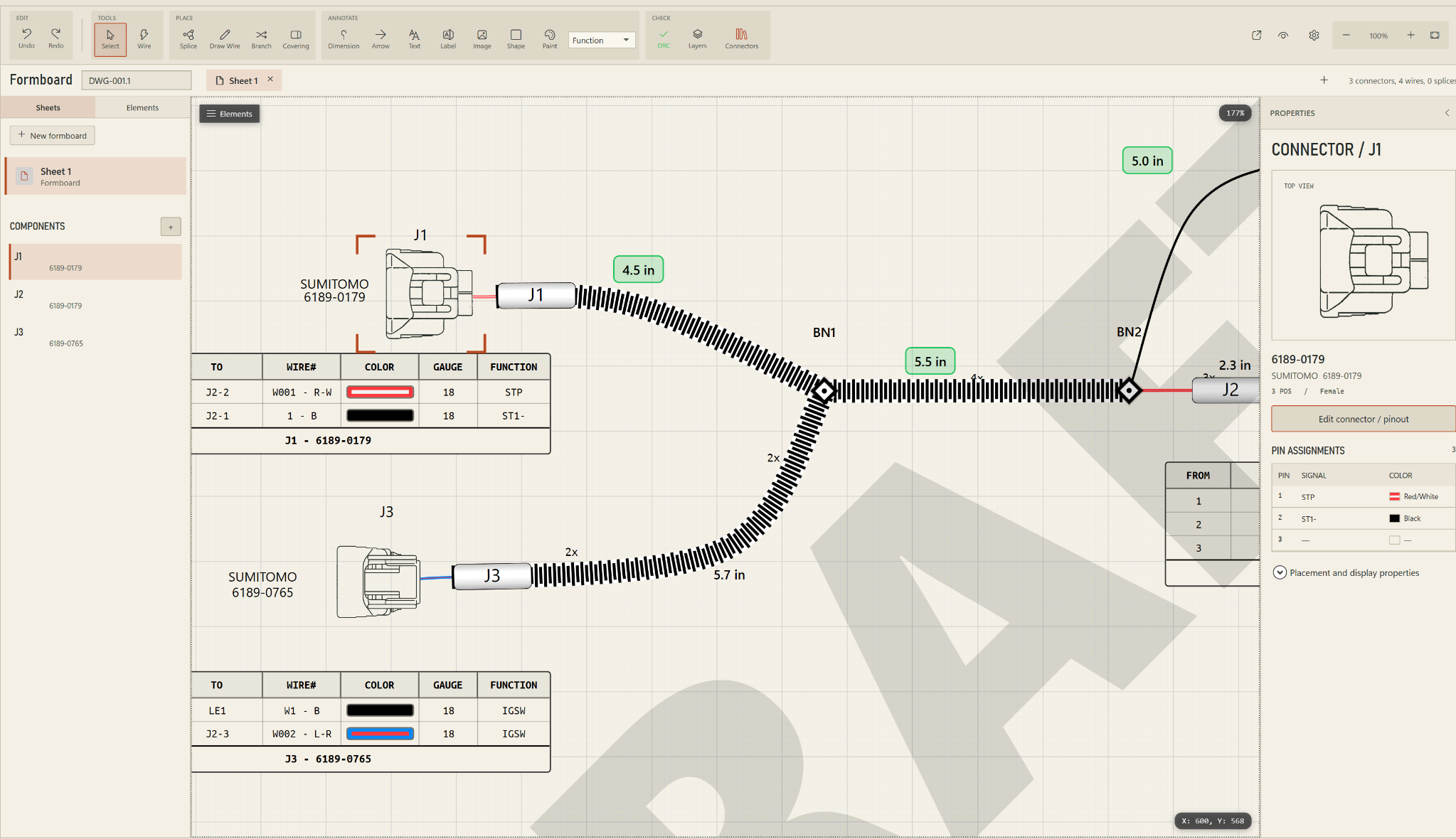
Create full-scale formboards with realistic curved wire paths instead of forcing every harness into rigid straight-line geometry. The drawing can follow how the harness actually bends, branches, and fits in the installation.
Vision Harness was developed for both Mac and PC, but the Mac version was designed as a first-class native experience—not a secondary port.
Apple’s tight integration of hardware, operating system, graphics, and development tools gives us a stable, highly optimized platform for the visual and data-intensive work involved in professional harness engineering.
Apple silicon provides an excellent foundation for large formboards, complex schematics, curved routing, high-resolution connector imagery, and extensive component libraries. Unified memory, efficient graphics performance, sharp displays, precise trackpad navigation, and predictable scaling help Vision Harness remain responsive while presenting dense technical information clearly.
Security was another important factor. Macs are not immune to threats, but macOS combines hardware-backed security, secure boot, the Secure Enclave, FileVault encryption, Gatekeeper, app notarization, and built-in malware protection. That layered approach is valuable in engineering environments where customer data, proprietary drawings, connector databases, and technical documentation may reside on the same workstation.
Mac is also the natural desktop counterpart to Vision Harness AR on Apple Vision Pro. Engineers can design and document the harness on Mac, capture and validate its physical routing in spatial computing, and bring that information back into Vision Harness as structured engineering data.
Create project structure, connectors, components, symbols, and reference data.
Build schematics, routes, wires, branches, splices, and circuit relationships.
Review pin assignments, properties, topology, connectivity, and design consistency.
Create formboards, BOM information, pin tables, and engineering deliverables.
Export production and service documentation for manufacturing and sustainment.
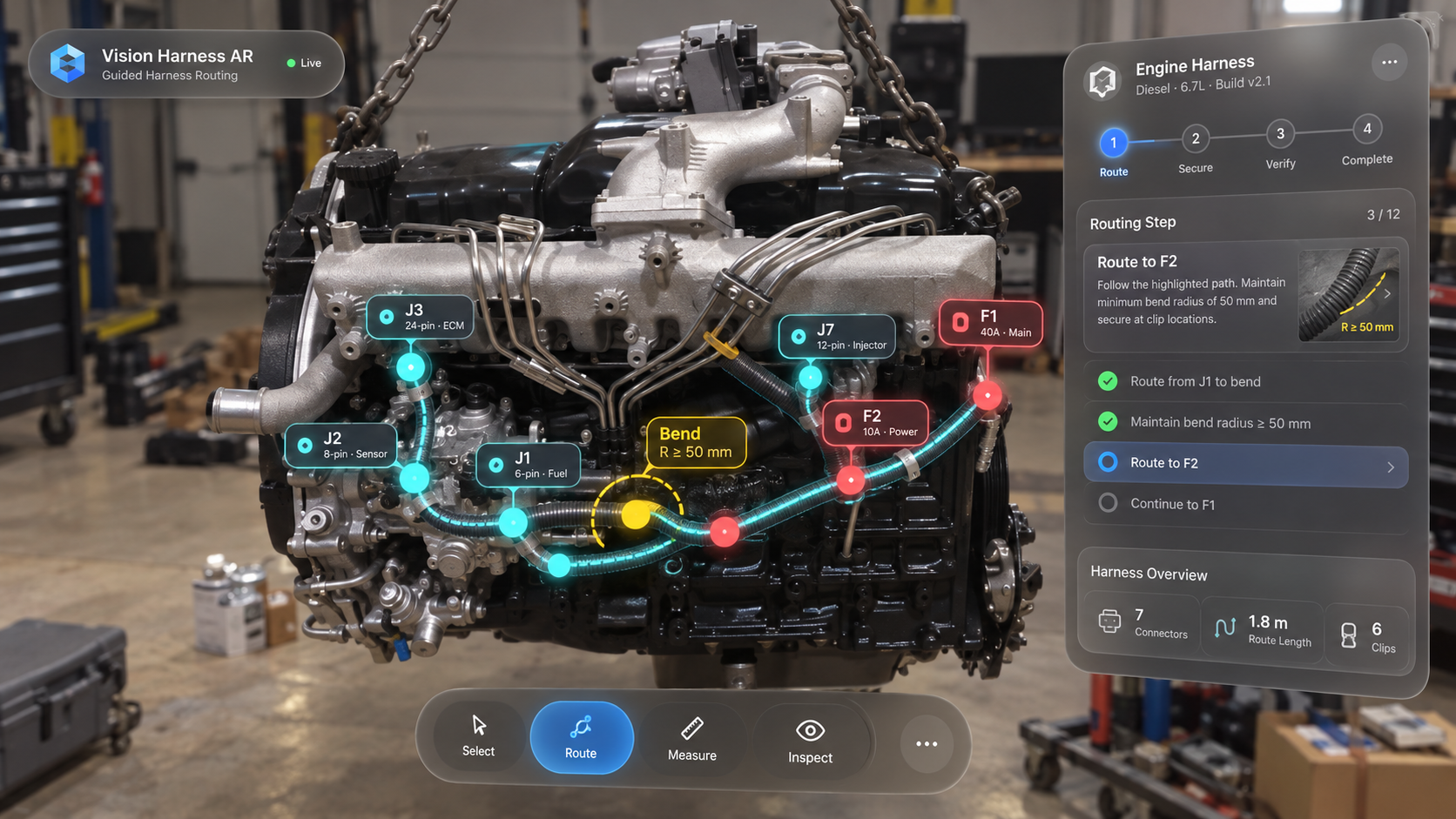
Vision Harness AR extends the platform into spatial computing. Using Apple Vision Pro, route geometry, connector locations, clips, bends, and physical reference points can be captured on the real vehicle or equipment, then transferred back into Vision Harness as a flattened 2D engineering route.
Explore Vision Harness AR →Vision Harness AR was designed around a simple idea: spatial computing only becomes a serious engineering tool when the hardware can understand the physical environment with enough speed, fidelity, and precision to keep digital engineering data anchored to the real system.
At the center of the platform is Apple’s dual-chip architecture. The M5 handles demanding 3D graphics, application logic, computer-vision workloads, and machine-learning tasks, while the dedicated R1 chip processes input from the cameras and sensors with extremely low latency. Apple specifies a photon-to-photon latency of just 12 milliseconds, helping virtual content remain stable and responsive as the technician moves around a vehicle, engine, harness, or piece of equipment.
Raw compute performance was only part of the decision. Apple Vision Pro combines two high-resolution main cameras, six world-facing tracking cameras, four eye-tracking cameras, a TrueDepth camera, LiDAR scanner, inertial sensors, and environmental sensing. That gives Vision Harness AR a sophisticated spatial foundation for understanding the technician’s position, the surrounding equipment, and the relationship between digital information and physical geometry.
That matters enormously for harness engineering. A wiring harness is not simply a collection of wires on a drawing. Its real-world design depends on connector locations, branch points, clips, bends, clearances, service loops, mounting surfaces, and three-dimensional routing constraints. Vision Pro gives us a platform for interacting with those features where they actually exist — on the physical system — rather than forcing the technician to mentally translate between a flat drawing and the installation in front of them.
The display system is equally important. Apple Vision Pro uses a micro-OLED 3D display with 23 million pixels, giving us the visual density needed for detailed labels, connector information, route overlays, pin references, and technical instructions without reducing the experience to oversized AR graphics.
Vision Pro also gives us a natural interaction model. Eyes, hands, and voice are native inputs in visionOS, allowing a technician to inspect a harness, select a connector, highlight a circuit, advance through an installation procedure, or reference engineering data without constantly reaching for a keyboard, tablet, or handheld controller.
For Vision Harness AR, these capabilities are not simply impressive specifications. They are what make it possible to treat spatial computing as a genuine engineering interface. Our goal is to create a continuous workflow between the physical installation and the engineering record: capture the system in three dimensions, identify connectors and routing points, build or validate the harness directly in spatial context, and then bring that information back into Vision Harness as structured engineering data and a production-ready 2D design.